-

-

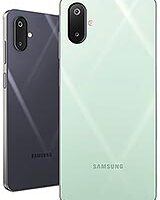
How To Hard Reset Samsung Galaxy F16
Hard Reset -

How To Hard Reset a Xiaomi Redmi Turbo 4
Hard Reset -

-

-

-
-

-

-

-

-


Looking for a Hard Reset guide for your smartphone? Explore Unlocky’s step-by-step tutorials for Samsung, Motorola, Honor, Google Pixel, and other Android devices.
Learn how to restore your smartphone to factory settings, troubleshoot software problems, and use Android recovery mode with our device-specific instructions.
A factory reset returns your device to its original software settings and generally erases locally stored apps, accounts, and personal information.
Unlocky’s tutorials explain the available reset procedures, recovery mode options, and important precautions for different smartphone models.
Browse our collection of tutorials to find instructions for your device. Each guide covers available recovery options, button combinations, and troubleshooting information.
Important: Resetting your phone may erase personal data and does not necessarily remove Google Factory Reset Protection (FRP). Back up important files whenever possible.
Select your smartphone model from the articles below to get started.
